
How To Build an Angular Polyfill
Teach an Old Browser New Tricks
Originally published in ITNEXT
What is a Polyfill?
A polyfill is a piece of code (usually JavaScript on the Web) used to provide modern functionality on older browsers that do not natively support it. — MDN
The World Wide Web
When you stop to think about it, Internet Browsers are at truly miraculous piece of technology. Billions of people use the internet every day, and web browsers allow them to interact with seemingly endless amounts of content in a myriad of ways. Despite a history of companies grappling for share of the browser market, the web has been steadily converging on a set of standards outlined by the World Wide Web Consortium (W3C) to facilitate a consistent internet experience. Browser companies are steadily improving interoperability, but there will always be people using browsers that are incompatible with the latest and greatest web technology.
New Feature, Who Dis?
Polyfills allow software developers to provide new features to old browsers. A polyfill can be configured to check if a feature exists, and drop-in an implementation if necessary. Many polyfills already exist, but there will always be multiple companies, multiple browsers, and multiple release schedules that will guarantee ongoing incompatibilities.
Recently we came across the following stack trace in our error reporting tool, BugSplat.
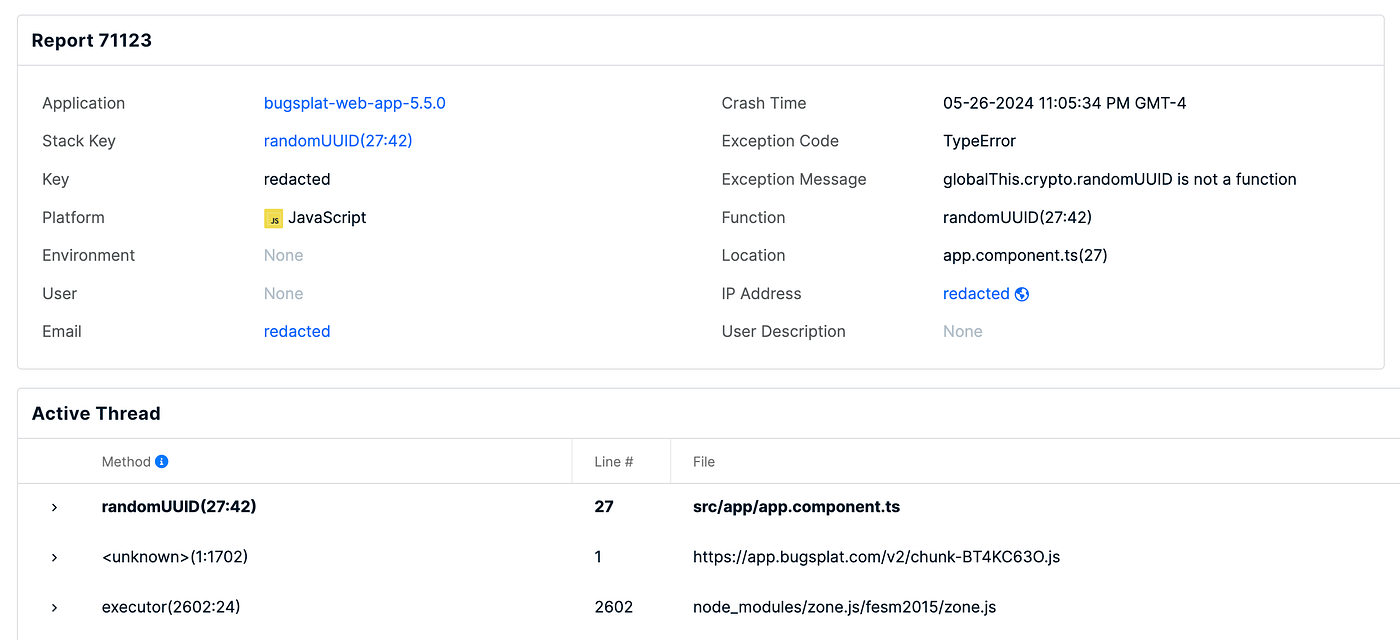
We had recently removed the uuid package in favor of using the native crypto.randomUUID function provided by most browsers. Unfortunately, removing the uuid package meant our users with older browsers saw TypeError: globalThis.crypto.randomUUID is not a function. In general, browser development teams are going to write better, faster versions of things than library developers. Knowing this, we designed our web app to prefer the browser implementation of randomUUID, and add a UUID generation function if the browser implementation didn’t exist.
Writing a Polyfill for Angular
The Angular documentation isn’t entirely clear about what it takes to create a polyfill. First, in new versions of Angular, ESM is preferred over CommonJS. Second, you either have to add rules to compile and include a new TypeScript file, or include a third-party package to create your polyfill. Finally, it’s not obvious how to test your polyfill and verify it successfully patches the missing functionality.
If you’d like to add a polyfill in your existing web app, create a new file src/polyfills.ts and add the following snippet:
// Adapted from https://stackoverflow.com/a/8809472/2993077
if (!globalThis.crypto?.randomUUID) {
  if (!globalThis.crypto) {
    // @ts-ignore
    globalThis.crypto = {};
  }
  // @ts-ignore
  globalThis.crypto.randomUUID = () => {
    let
      d = new Date().getTime(),
      d2 = (performance?.now && (performance.now() * 1000)) || 0;
    return 'xxxxxxxx-xxxx-4xxx-yxxx-xxxxxxxxxxxx'.replace(/[xy]/g, c => {
      let r = Math.random() * 16;
      if (d > 0) {
        r = (d + r) % 16 | 0;
        d = Math.floor(d / 16);
      } else {
        r = (d2 + r) % 16 | 0;
        d2 = Math.floor(d2 / 16);
      }
      return (c == 'x' ? r : (r & 0x3 | 0x8)).toString(16);
    });
  };
}
Notice that we only add the randomUUID implementation if globalThis.crypto.randomUUID is undefined. We first ensure that globalThis.crypto exists and is an object. Be careful not to overwrite globalThis.crypto, otherwise you might see an error TypeError: Cannot set property crypto of [object Window] which has only a getter.
Now that we’ve implemented the polyfill, we need to include the new file in the build’s compilation. To ensure polyfills.ts is compiled, make the following modification to tsconfig.app.json.
{
  ...
  "files": [
    "src/main.ts",
    "src/polyfills.ts"
  ],
}
You’ll also need to add src/polyfills.ts to angular.json.
"projects": {
  "main": {
    "architect": {
      "build": {
        "options": {
          "polyfills": [
            "zone.js",
            "src/polyfills.ts"
          ],
        }
      }
    }
  }
}
You might also want to delete your .angular directory just to be sure that everything is rebuilt. Run npm start to rebuild and launch the development web server in preparation for testing our fix.
MDN provides a wealth of information about browser APIs and compatibility. According to the Browser Compatibility section on MDN, randomUUID is compatible with Chrome 92+, Edge 92+, Firefox 95+, and Safari 15.4+. Unfortunately it’s difficult to acquire a version of Chrome old enough for us to test. Thankfully, Firefox provides archives for seemingly every version they’ve ever released.
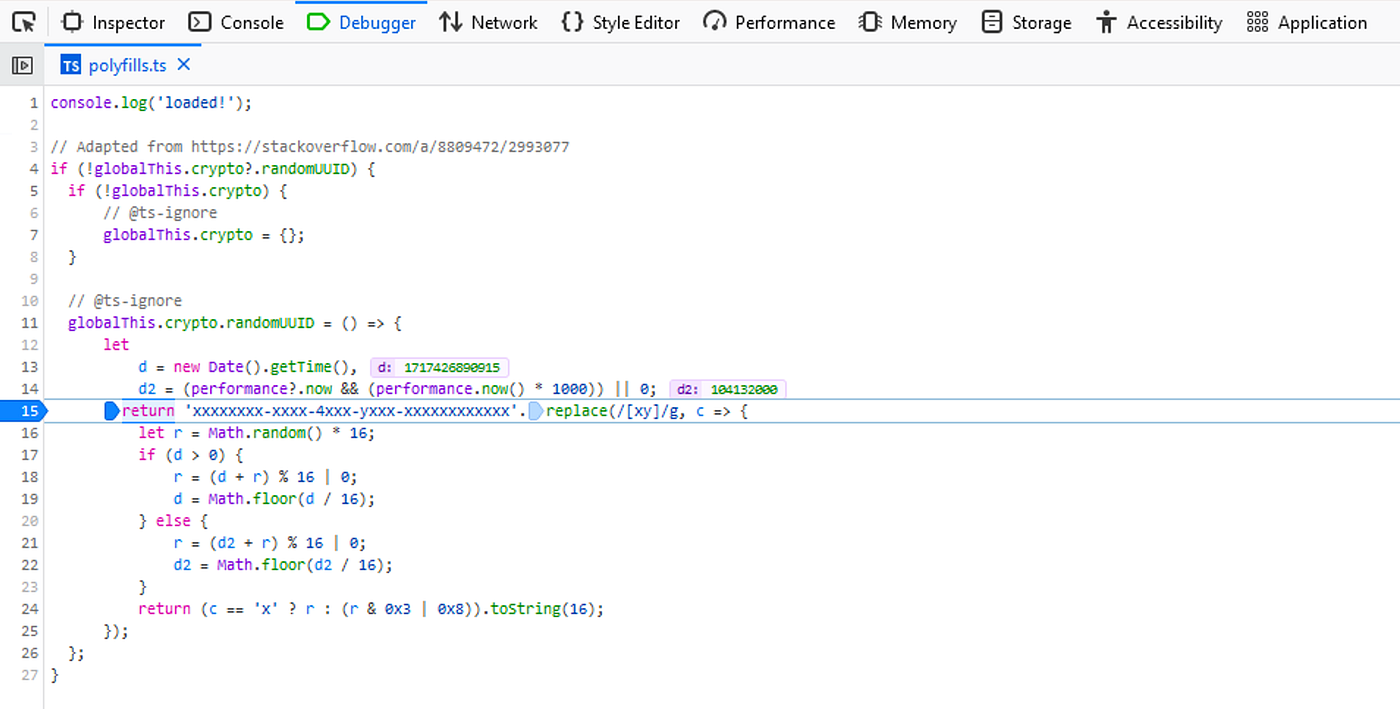
You can test your fix by installing Firefox 93, and turning off auto-update in the settings menu. You’ll also want to verify everything runs correctly in a browser that doesn’t need the polyfill.
If you’d like to allow others to use your polyfill, you can release your polyfill via npm. To create a package others can install, create a new project using npm init.
mkdir your-polyfill && cd your-polyfill && npm initMake the entry point index.mjs or add "type": "module", to your package.json file. You can also configure TypeScript and build for both ESM and CommonJS. Adding a unit test to your repo is also a good idea!
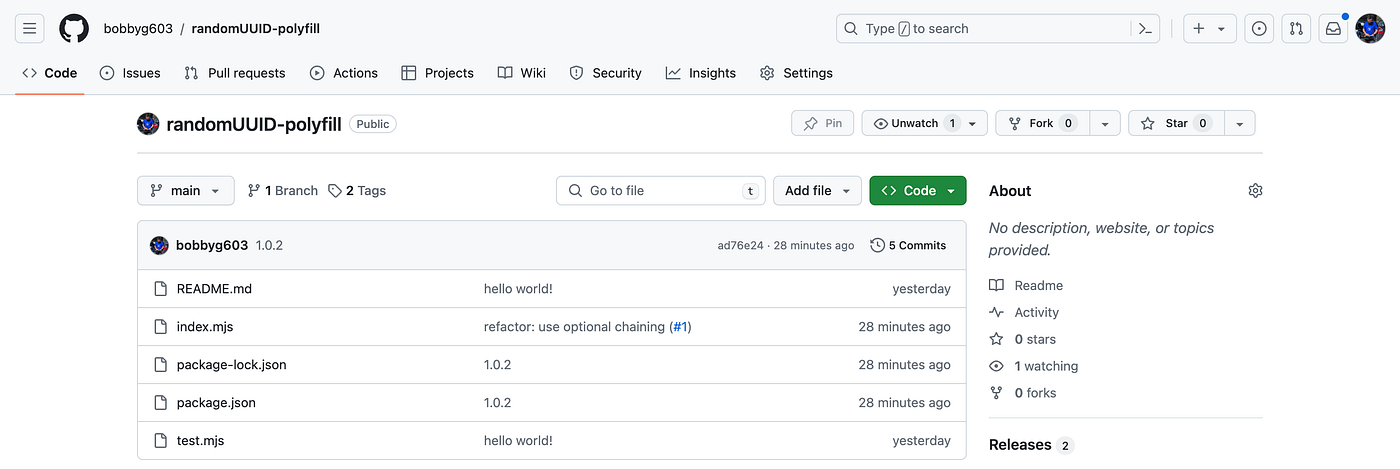
The following is a modified snippet of the polyfill from above that adds an export to assist with unit testing.
// Adapted from https://stackoverflow.com/a/8809472/2993077
if (!globalThis.crypto?.randomUUID) {
  if (!globalThis.crypto) {
    globalThis.crypto = {};
  }
  globalThis.crypto.randomUUID = () => {
    let
      d = new Date().getTime(),
      d2 = (performance?.now && (performance.now() * 1000)) || 0;
    return 'xxxxxxxx-xxxx-4xxx-yxxx-xxxxxxxxxxxx'.replace(/[xy]/g, c => {
      let r = Math.random() * 16;
      if (d > 0) {
        r = (d + r) % 16 | 0;
        d = Math.floor(d / 16);
      } else {
        r = (d2 + r) % 16 | 0;
        d2 = Math.floor(d2 / 16);
      }
      return (c == 'x' ? r : (r & 0x3 | 0x8)).toString(16);
    });
  };
}
const randomUUID = globalThis.crypto.randomUUID.bind(globalThis.crypto);
export { randomUUID }
Note that the use of .bind(globalThis.crypto) was added due to an error TypeError [ERR_INVALID_THIS]: Value of "this" must be of type Crypto. Here’s what an example test for randomUUID might look like.
import assert from 'node:assert';
import test from 'node:test';
import { randomUUID } from './index.mjs';

test('should generate v4 UUID', (t) => {
  const v4 = /^[0-9A-F]{8}-[0-9A-F]{4}-[4][0-9A-F]{3}-[89AB][0-9A-F]{3}-[0-9A-F]{12}$/i;
  const uuid = randomUUID();
  assert.match(uuid, v4);
});
To push the package to npm, run npm publish. Once you’ve published to npm you can consume the polyfill in your Angular app by adding the name of the package to the polyfills section in angular.json.
"projects": {
  "main": {
    "architect": {
      "build": {
        "options": {
          "polyfills": [
            "zone.js",
            "randomuuid-polyfill"
          ],
        }
      }
    }
  }
}
Conclusion
In this tutorial you built a polyfill that patches the implementation of randomUUID if it’s missing in your users’ browsers. A full example of an Angular-compatible polyfill can be found here.
Thanks for reading!
Want to Connect? If you found the information in this tutorial useful please follow me on X.